
Two sets of credentials drive the two filings — and they follow different rules. This is the article to come back to when a submission complains about missing credentials.
The rules at a glance
| Client managed by your firm | Standalone organisation | |
|---|---|---|
| Government Gateway (CT600 to HMRC) | The firm’s HMRC Sender Id is used and the return files as agent — unless the organisation record has its own Sender Id, which then takes precedence and the return files as the company itself. | The organisation’s own Sender Id and password are used. |
| Presenter ID (accounts to Companies House) | Always the firm’s Presenter ID and authentication. The organisation-level presenter fields are not used while the client belongs to a firm. | The organisation’s own presenter fields are used. |
In short: the Gateway login is firm-wide with a per-client override; the Presenter ID is firm-only for firm-managed clients. So for your own clients, presenter credentials belong in Firm Settings — entering them on the organisation’s Companies House tab has no effect until an organisation stops being firm-managed.
Overriding the Gateway for one client
Some clients file Corporation Tax under their own Government Gateway account — common when the company already filed for itself before appointing you, or wants returns sent in its own name rather than an agent’s. On the client’s record, open the Tax & VAT tab and fill Corporation Tax Sender Id and Corporation Tax Password:
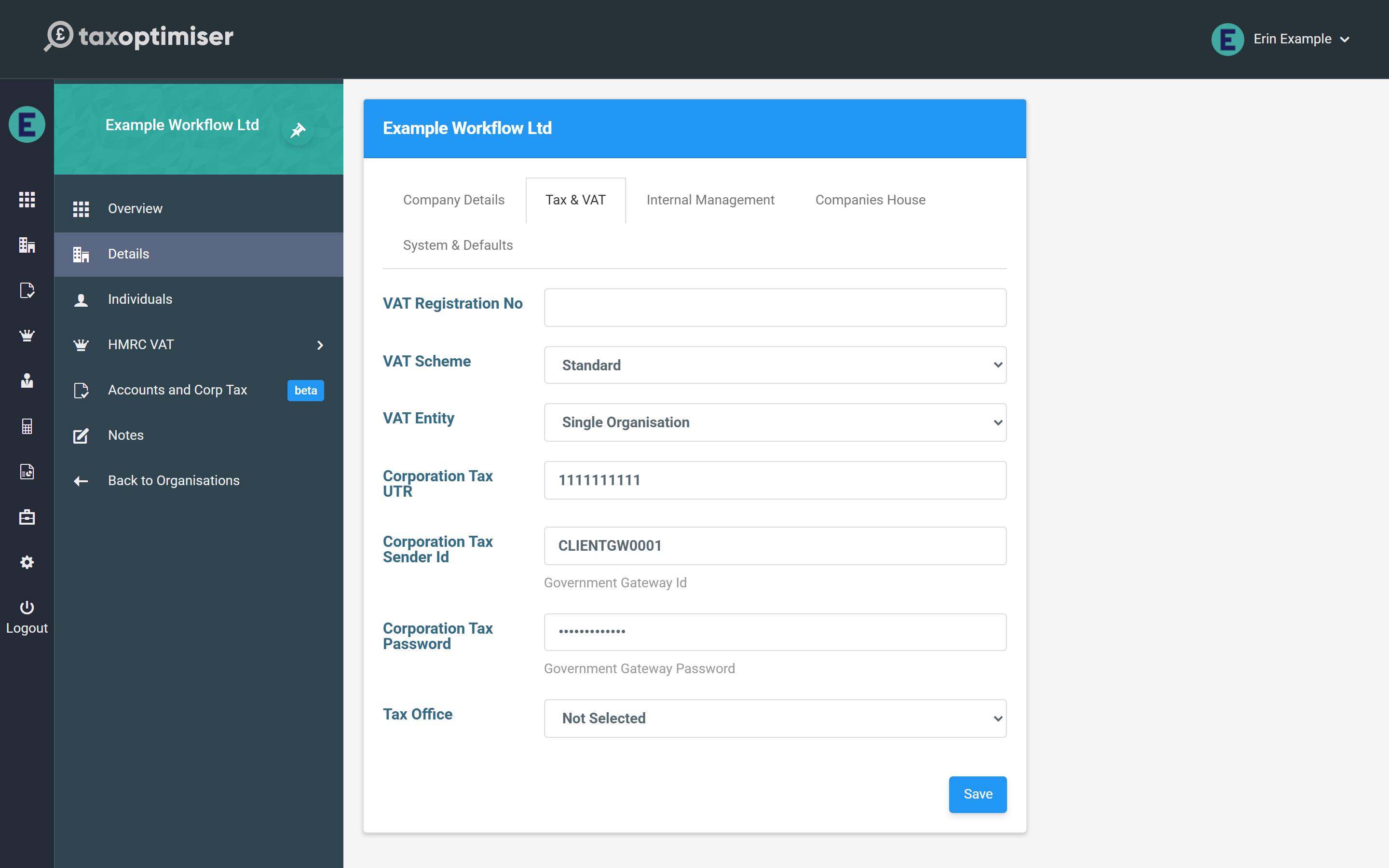
With a value here, this client’s CT600s go to HMRC under their gateway and are marked as filed by the company; every other client carries on using the firm’s. Clear the fields to fall back to the firm login.
The checklist tells you what’s missing
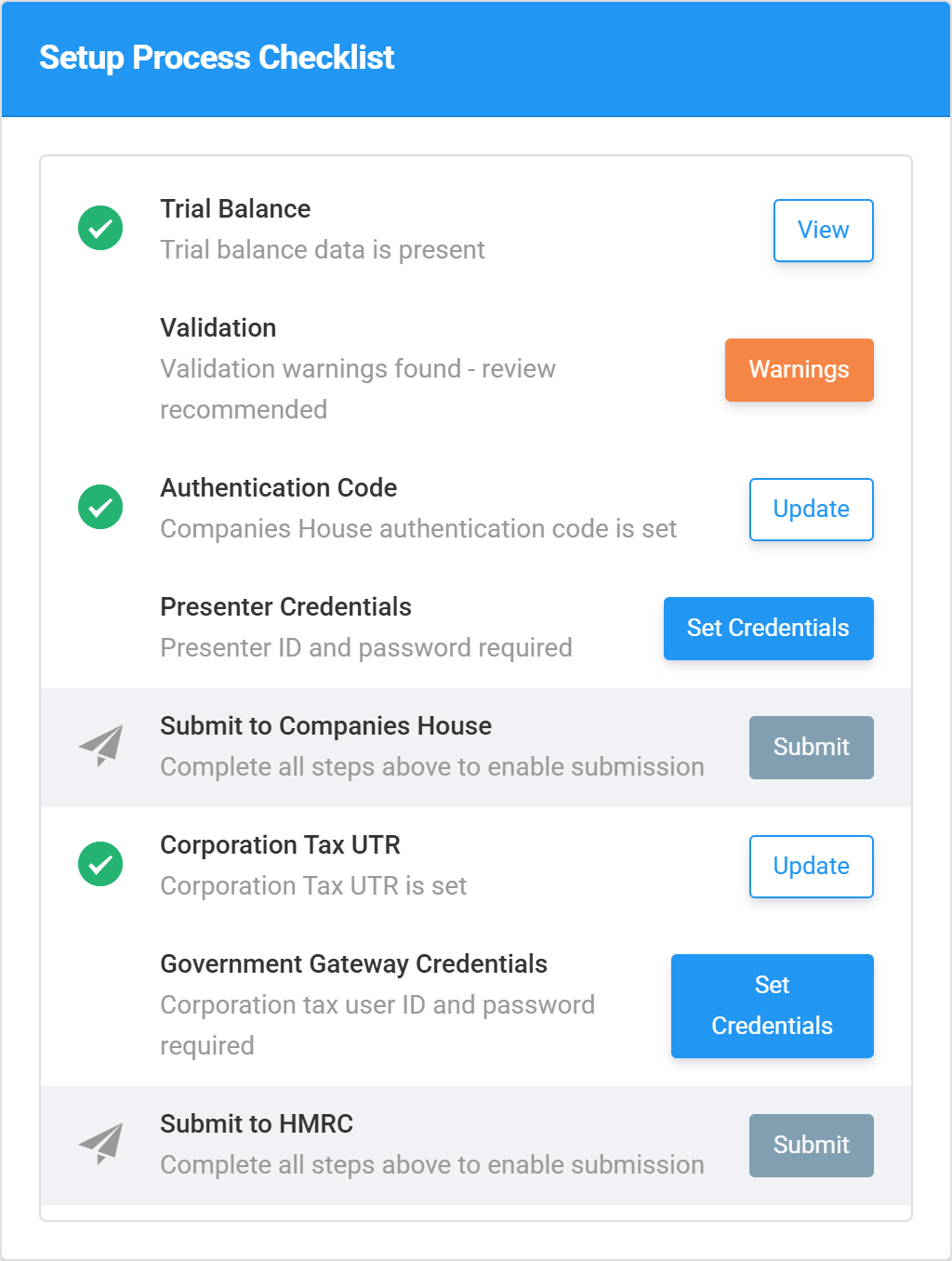
Each period’s Setup Process Checklist evaluates these rules for you. When credentials are missing it says so — and for a firm-managed client, Set Credentials sends you to Firm Settings, the place they actually belong:
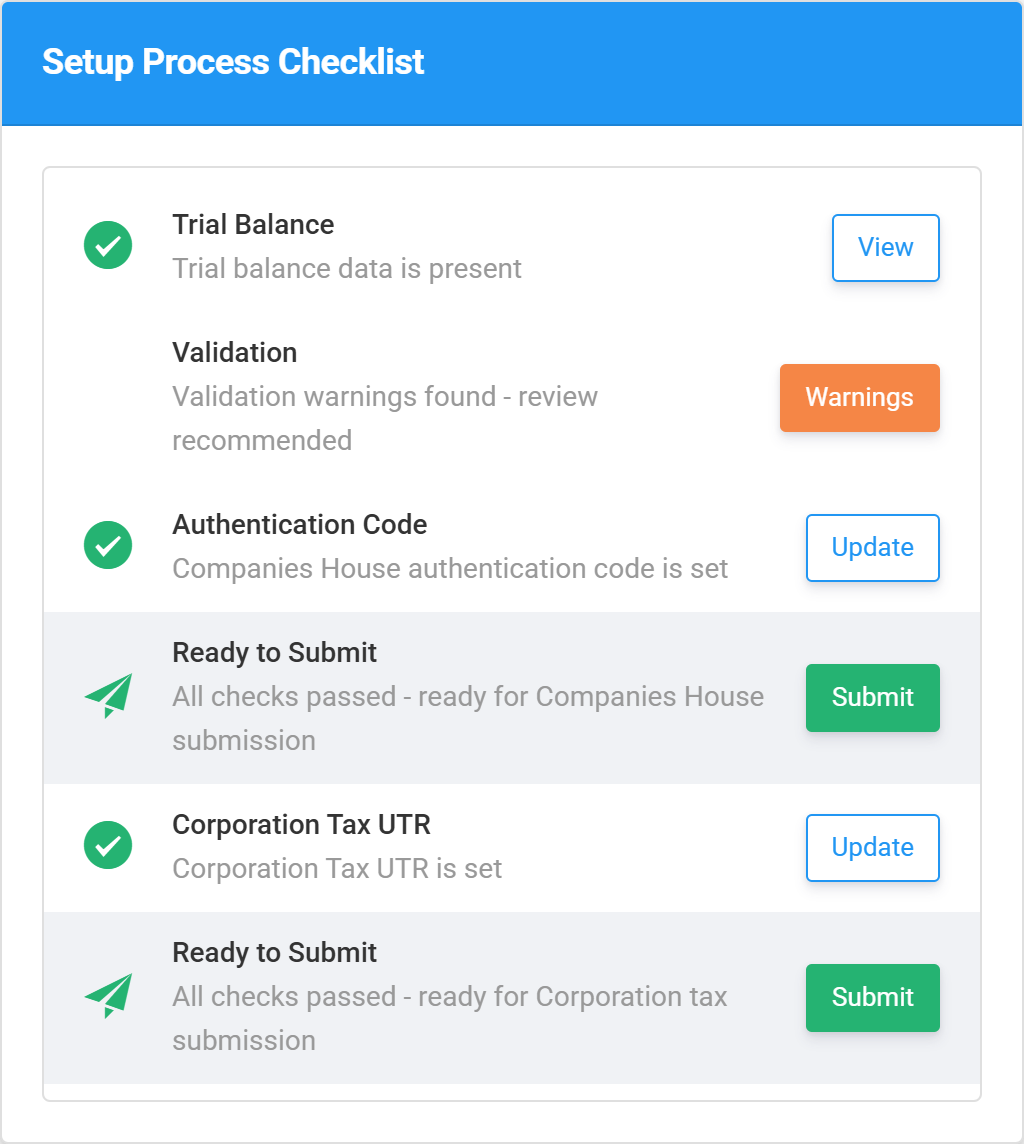
With the firm credentials in place, the same checklist resolves and both submissions unlock:
If you try to file anyway
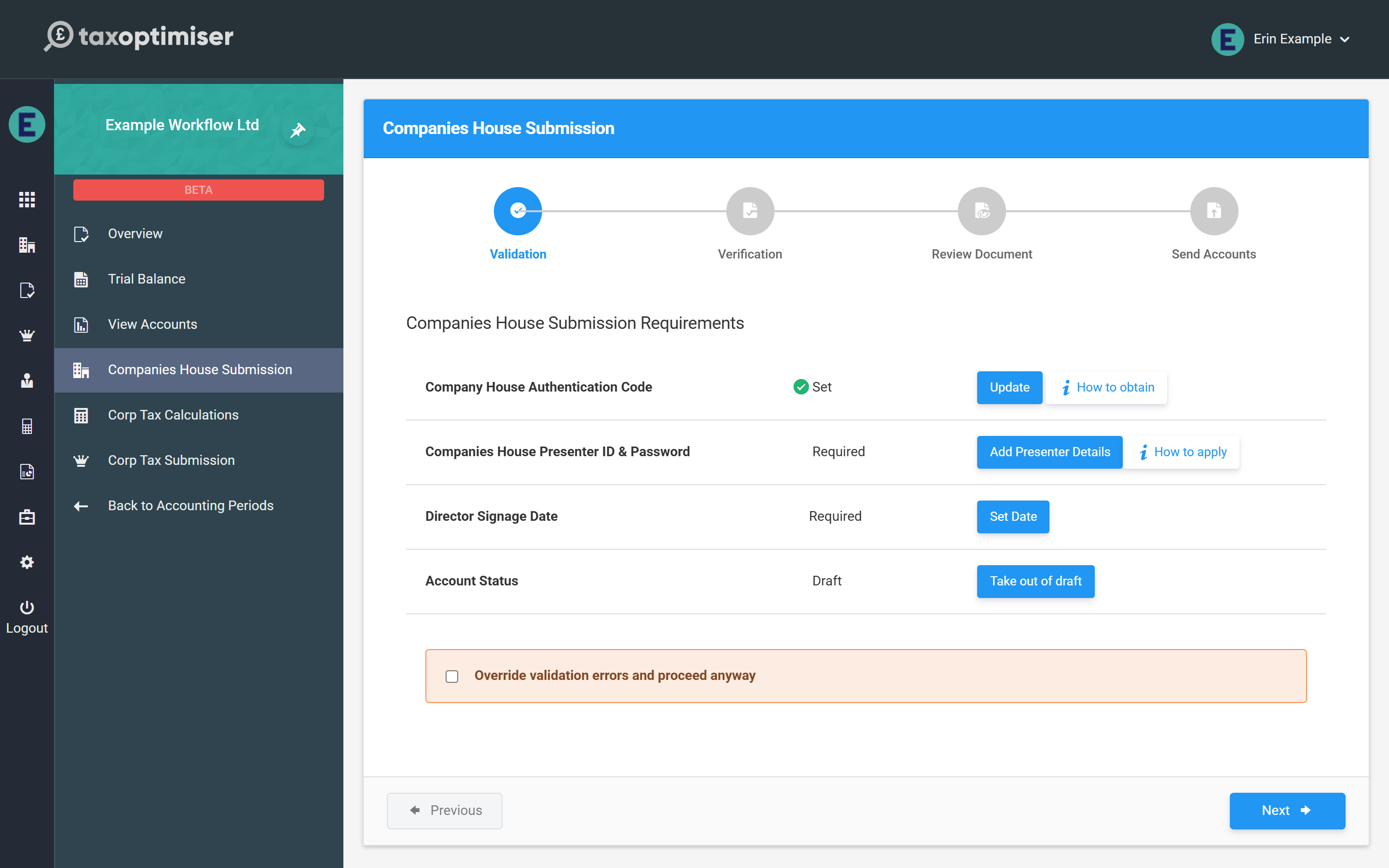
The Companies House wizard’s first step shows the same status against each requirement — Required until it’s set, with a How to apply link for the presenter pair:
And a send attempted without credentials stops with an error that names the right place to fix it: for a firm-managed client, “Please enter the companies house presenter id in Firm Details”; for a standalone organisation, “Please enter the companies house presenter id in the organisation details”.